Back to Product Cases Case Showcase / Healthcare / Clinical Workspace

HealthOps Patient Monitoring

A clinical demo for ward overview, patient list, vital trends, reports, and appointment tasks.

HealthOps patient monitoring demo screenshot
Case Overview

From Qt Components to a Complete Product Workspace

HealthOps shows how Qt components can form an extensible clinical workspace that brings patient data, vital signs, reports, appointments, and care tasks together.

Covers ward, patients, monitoring, reports, and appointments
Tables, filters, drawers, and charts form the clinical workflow
Supports Chinese/English switching and live simulated data refresh
Screens and Features

Case Page Showcase

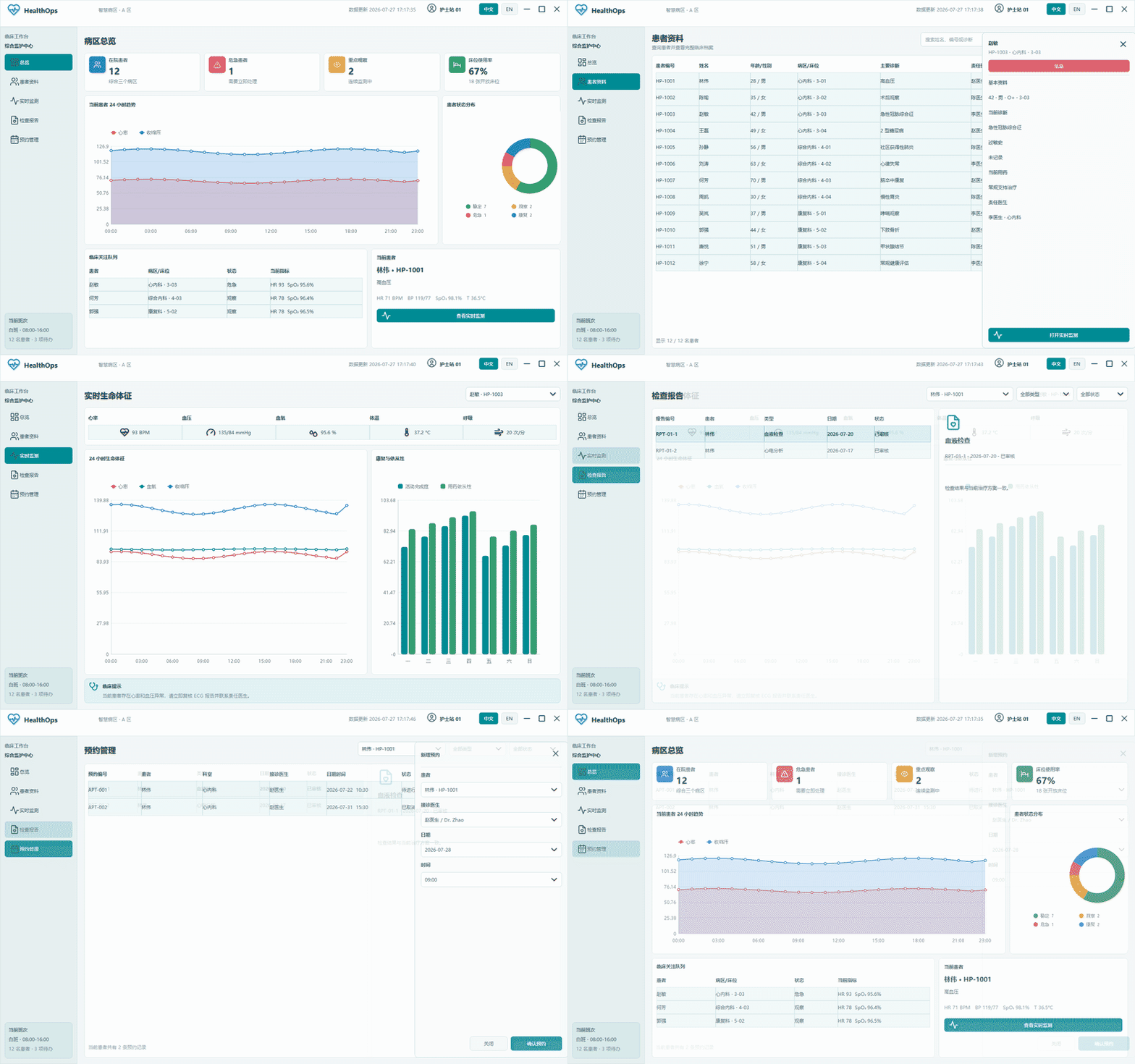
Each section maps to a real demo screen and lists its purpose, main interactions, and Qt-UI controls.

Ward Overview - HealthOps Patient Monitoring
01

Ward Overview

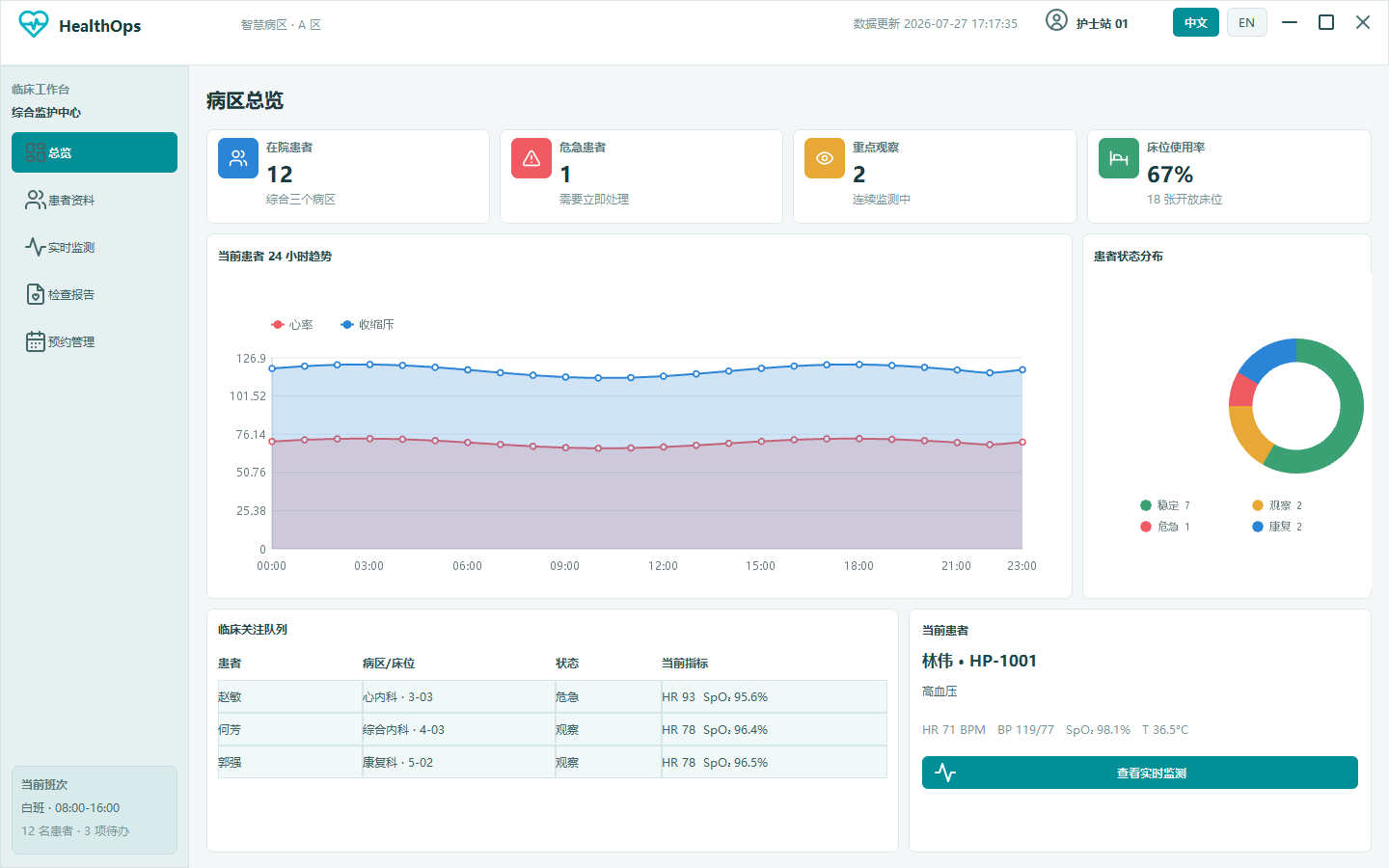
Shows inpatient count, critical patients, pending reminders, ward distribution, and focus patient for quick ward status awareness.

Interaction
Overview KPIs, alert table, and charts refresh with simulated data.
Controls Used
UIGQWindow UIGQContainer UIGQLabel UIGQTableView UIGQLineChart UIGQOpenGLPieChart
Patient List - HealthOps Patient Monitoring
02

Patient List

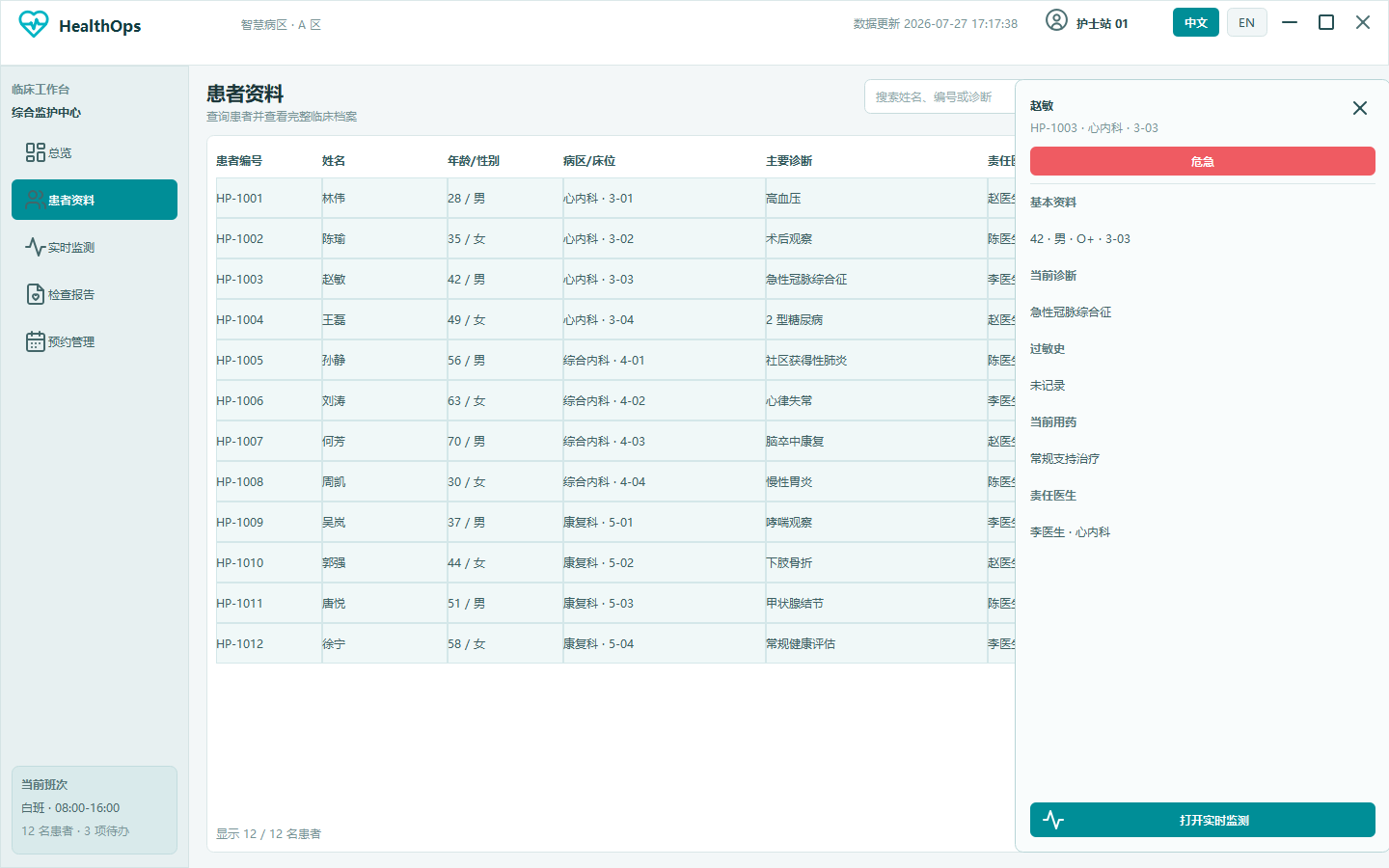
Finds patients with search, ward filter, and condition filter, then shows diagnosis, allergies, medication, and doctor in a right-side drawer.

Interaction
Table click, combined filtering, and patient detail drawer.
Controls Used
UIGQTableView UIGQLineEdit UIGQComboBox UIGQPushButton UIGQContainer
Vital Monitoring - HealthOps Patient Monitoring
03

Vital Monitoring

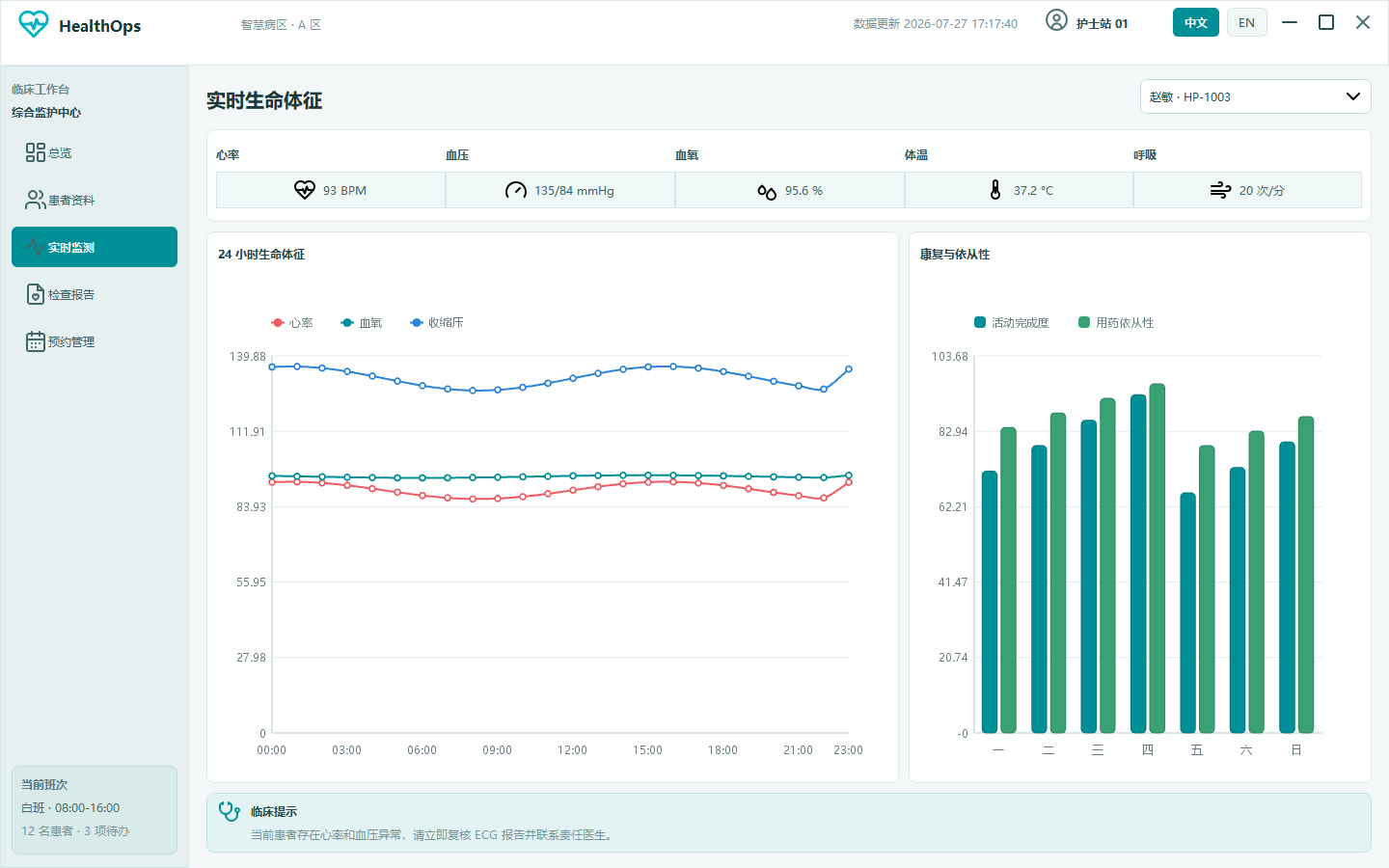
Shows heart rate, blood pressure, SpO2, temperature, and vital trends for patient state changes.

Interaction
Patient selection, vital table, and trend chart refresh together.
Controls Used
UIGQComboBox UIGQTableView UIGQLineChart
Reports - HealthOps Patient Monitoring
04

Reports

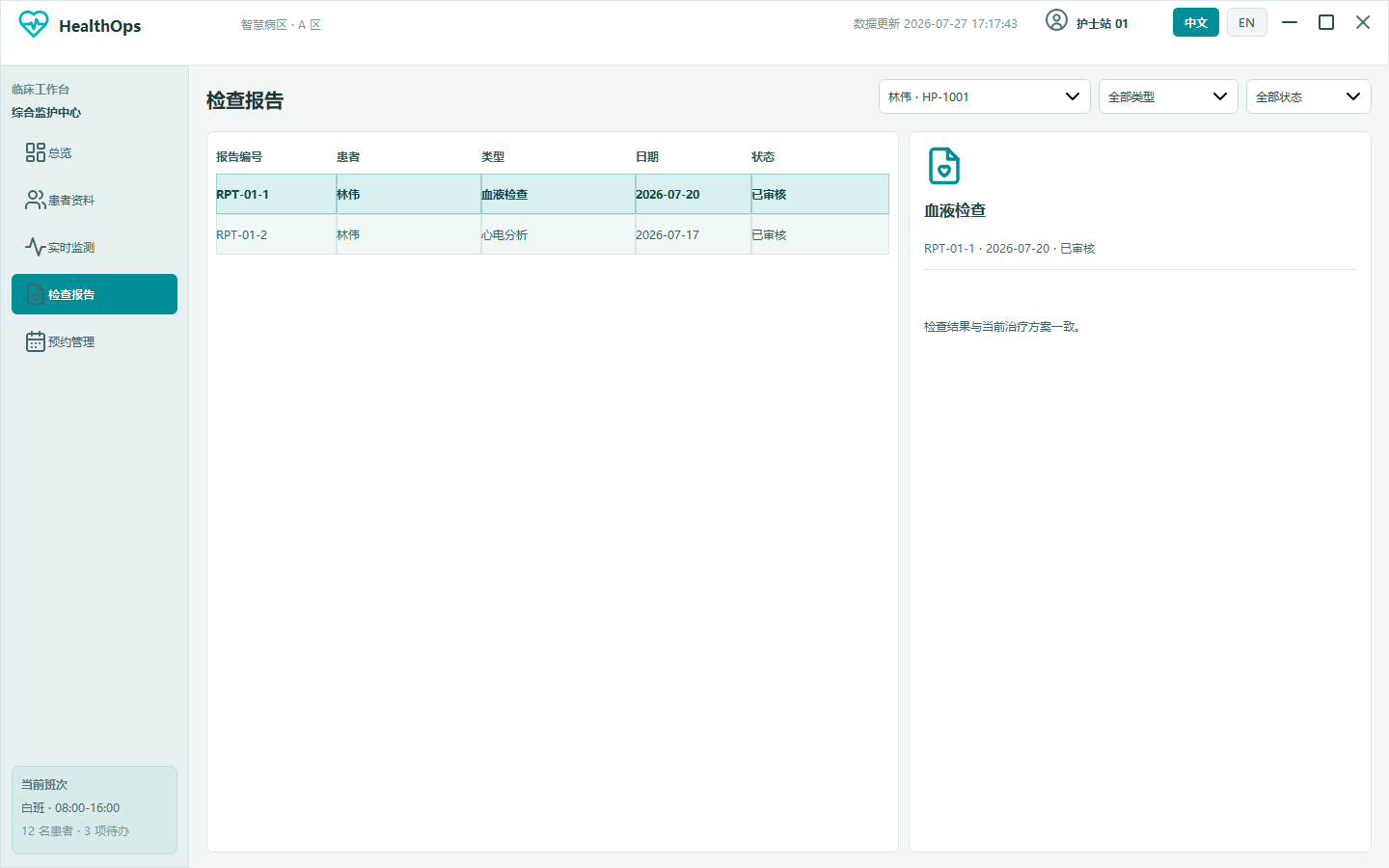
Filters reports by patient, type, and status, then shows summary and processing details.

Interaction
Filters, report table, and detail panel are linked.
Controls Used
UIGQComboBox UIGQTableView UIGQLabel UIGQContainer
Appointments and Care Tasks - HealthOps Patient Monitoring
05

Appointments and Care Tasks

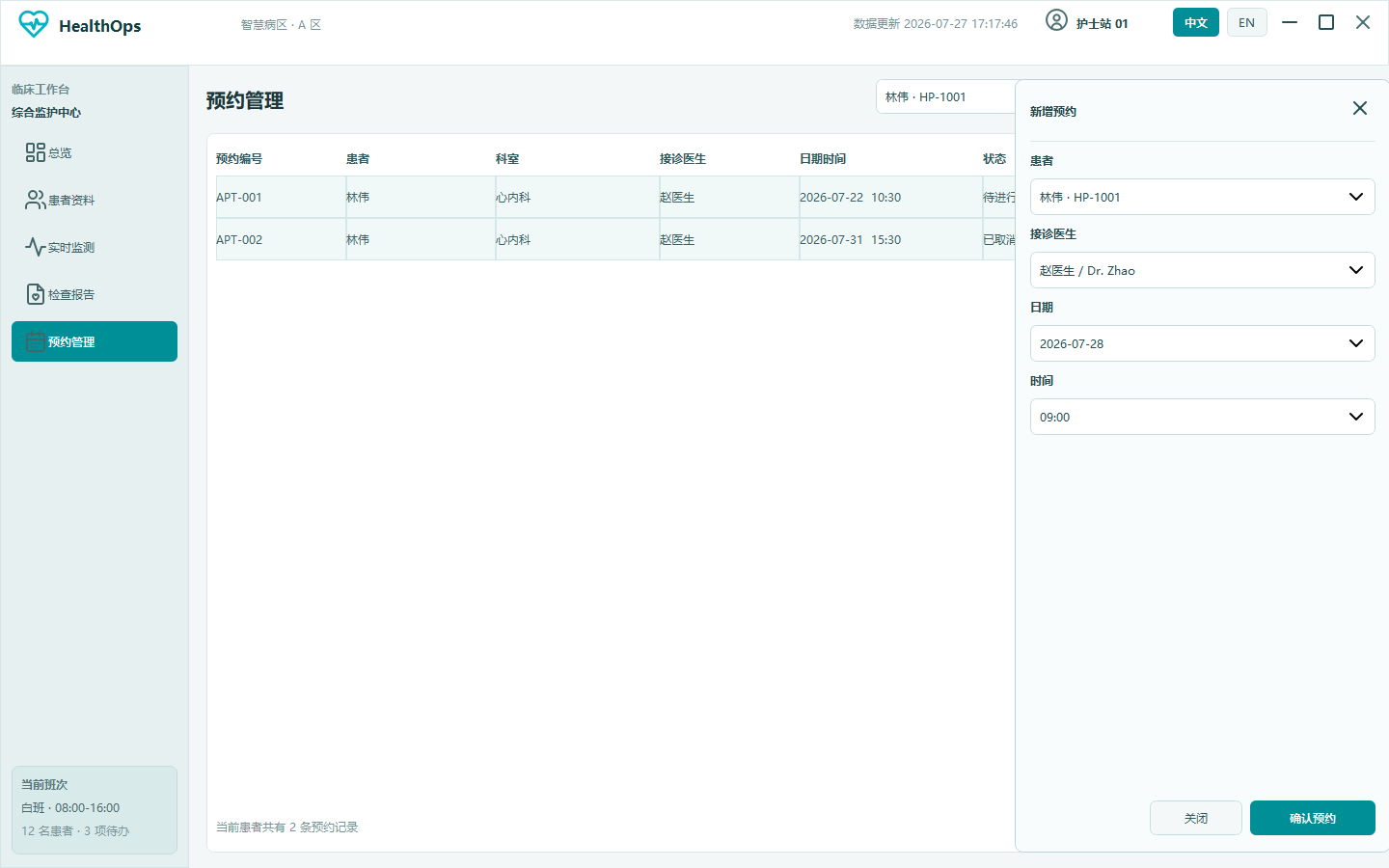
Shows examination appointments, follow-up schedules, and care tasks with a drawer-based local task editing flow.

Interaction
Create appointment, filter status, cancel appointment, and refresh task list.
Controls Used
UIGQTableView UIGQComboBox UIGQPushButton UIGQContainer