Product Overview

Productized UI Foundation for Qt Projects

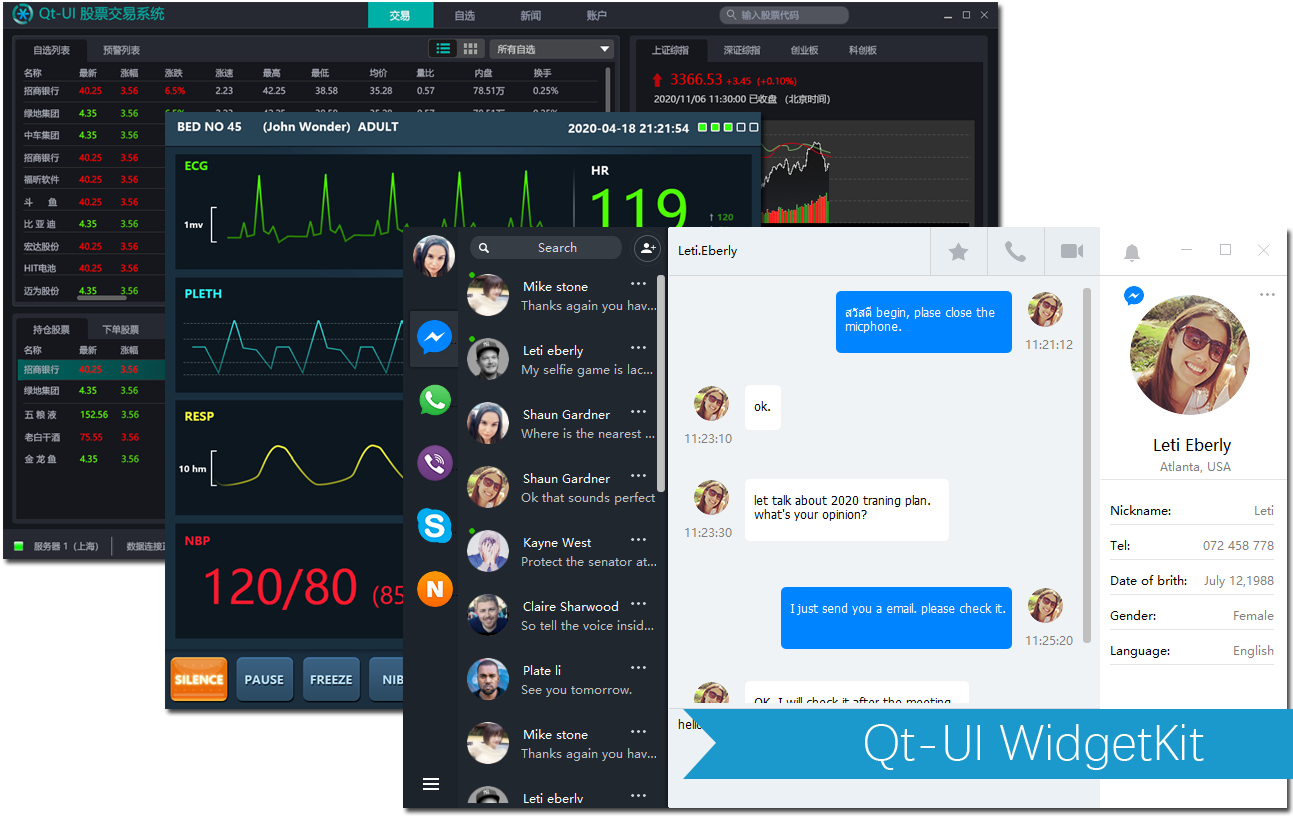
Qt-UI WidgetKit turns recurring Qt interface work into reusable assets, so teams can spend more time on product behavior and business workflows.

View Docs

Includes themed containers, buttons, inputs, lists, tables, scroll views, navigation, and window chrome.

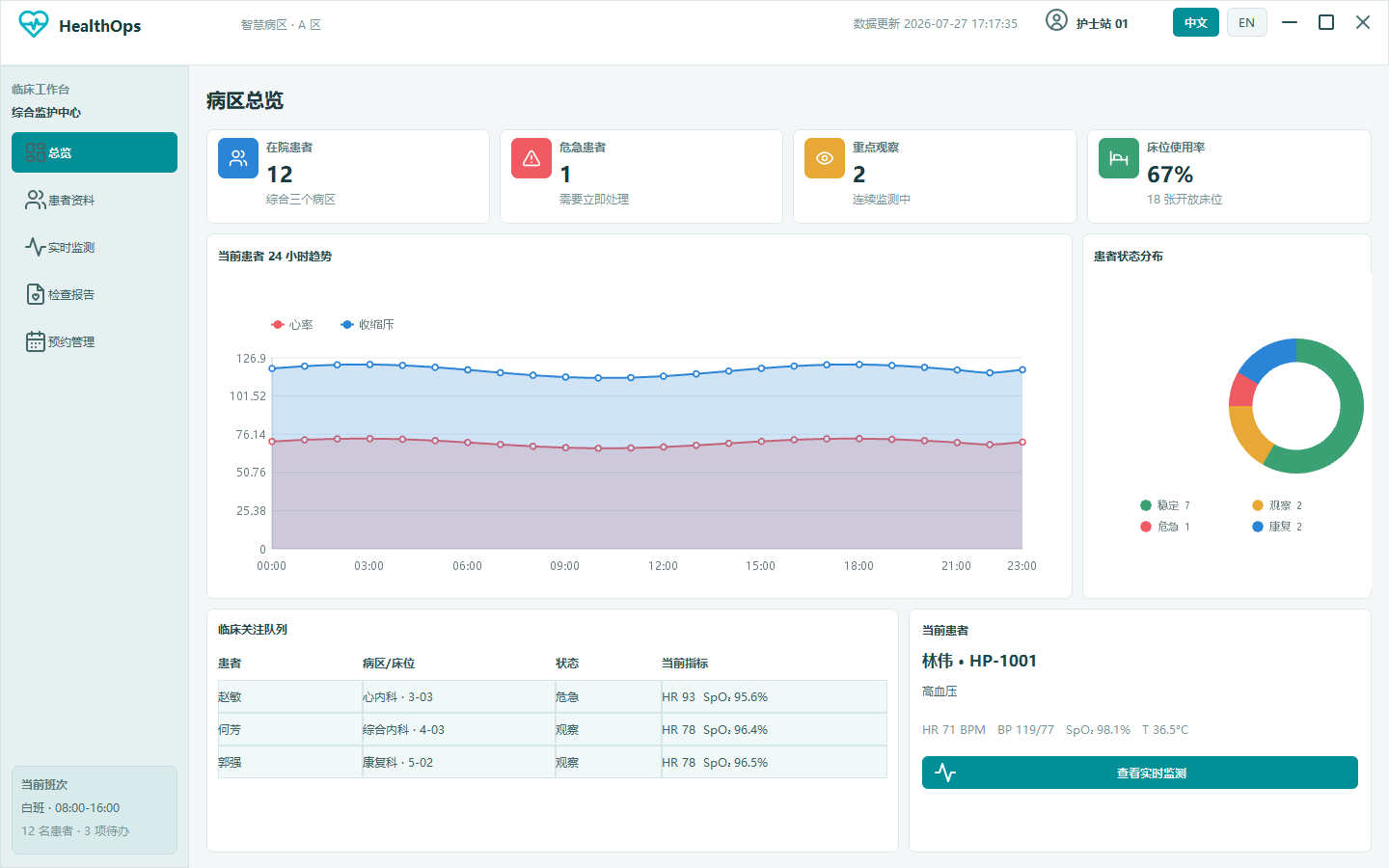
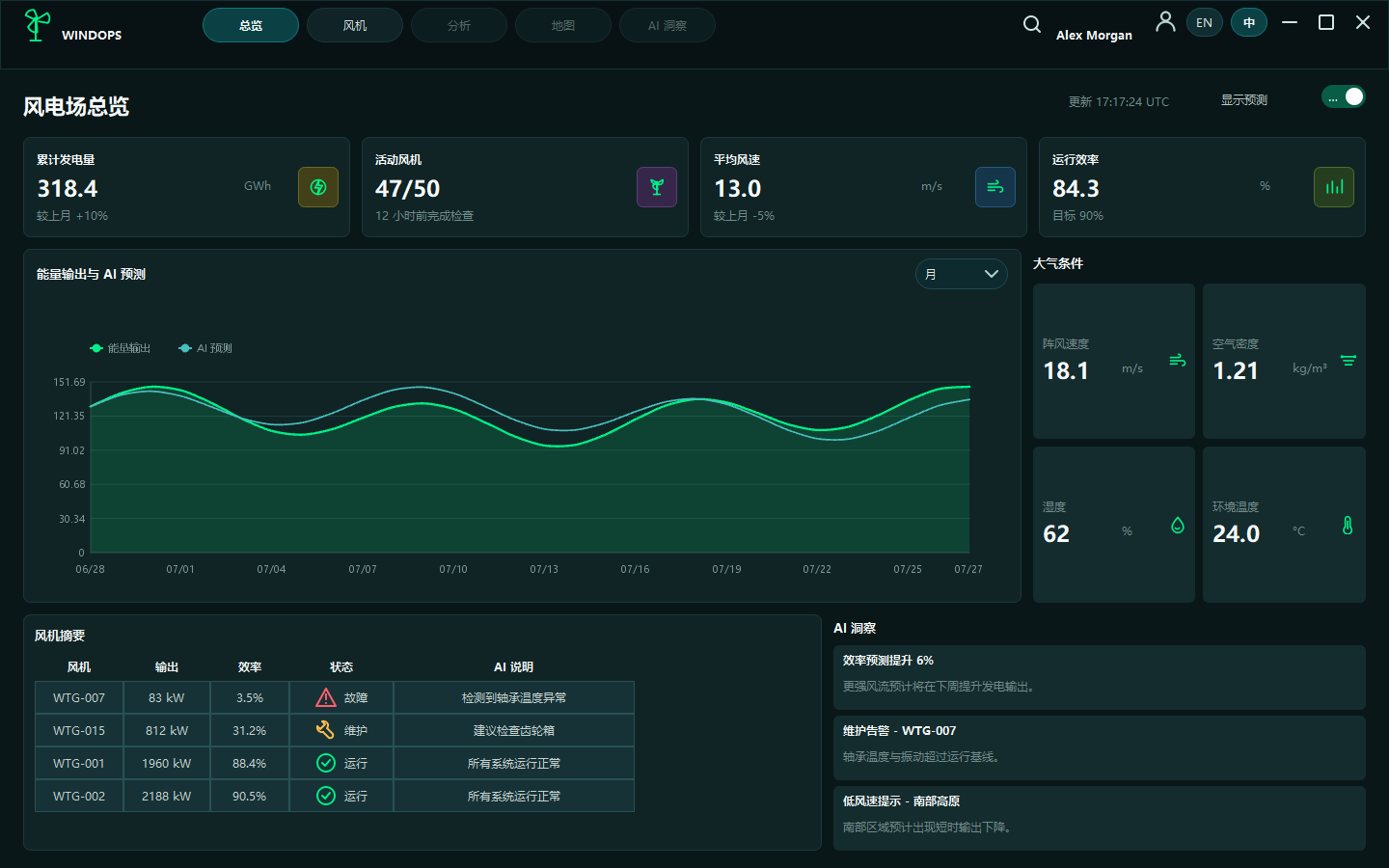
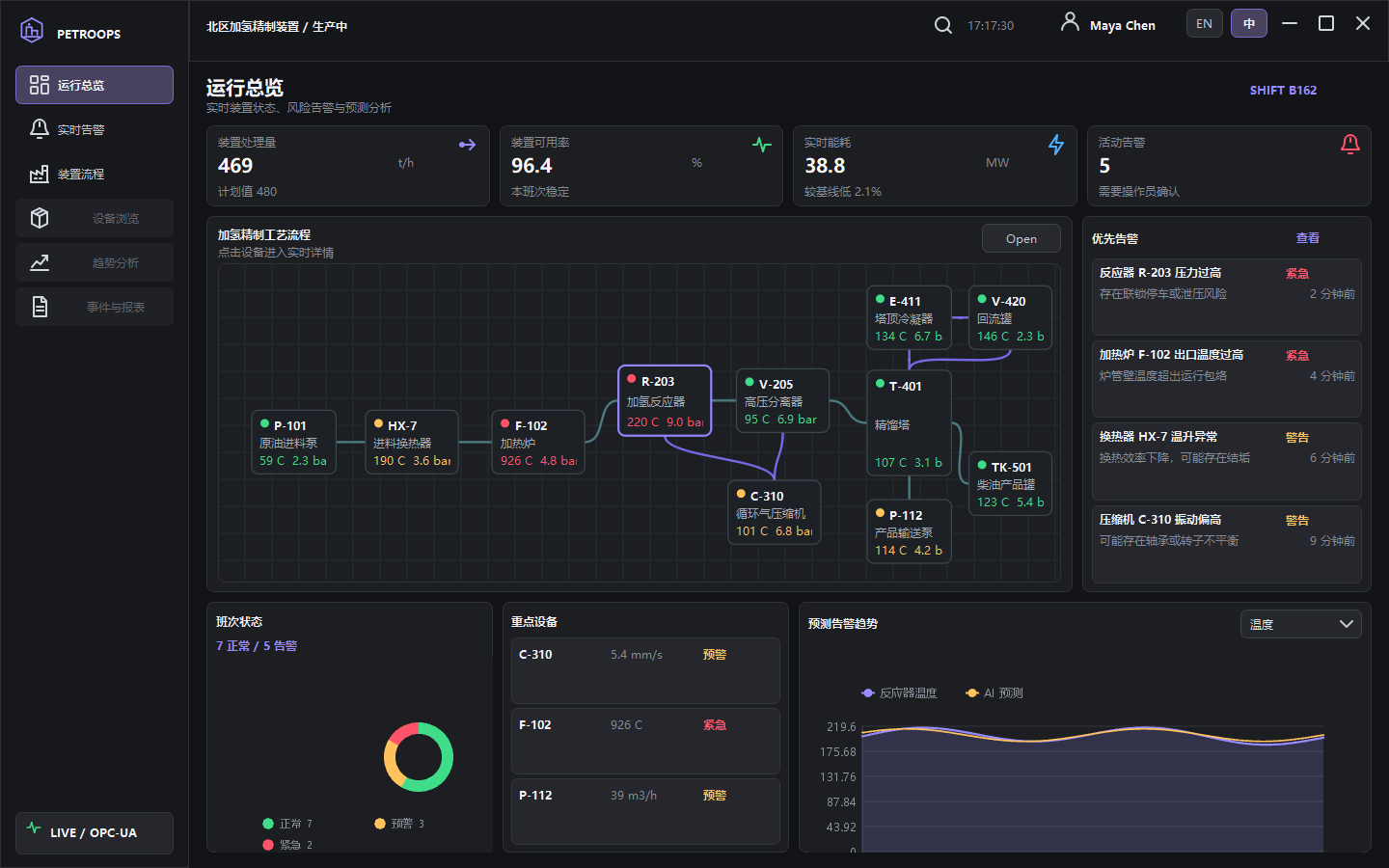
Provides reusable UI patterns for dashboard-style and product-ready Qt Widget applications.

Unifies interaction states, sizing rhythm, and theme variables to reduce maintenance cost.

Widget Catalog

Widget Type Guide

Browse UIG widget types by purpose, usage scenario, and core capability for easier module-level selection.

Window

UIGQWindow

Top-level window container for complete business pages, title bars, main layouts, and global themes.

Window shell Theme host Top-level interaction
View Docs
Layout

UIGQContainer

General-purpose container for horizontal, vertical, absolute dock, and nested layouts.

Layout composition Background theme Auto sizing
View Docs
Layout

UIGQStackContainer

Stacked page container for multi-page switching, guided flows, and modular content areas.

Page switching State retention Module grouping
View Docs
Layout

UIGQScrollView

Scrollable content area for long forms, list panels, and expandable configuration pages.

Scroll area Content host Long pages
View Docs
Layout

UIGQSplitter

Resizable split layout for side panels, vertical workspaces, and complex editors.

Region split Resizable panes Workspace
View Docs
Layout

UIGQSpacer

Flexible spacer used to control gaps, push controls, and maintain layout rhythm.

Flexible gap Layout helper Placeholder
View Docs
Input

UIGQPushButton

Button control supporting text, icons, state styles, and command entry points.

Click action Icon and text State style
View Docs
Input

UIGQCheckBox

Checkbox control for toggles, multi-select options, and batch settings.

Boolean choice Multi-select Form option
View Docs
Input

UIGQRadioButton

Radio button control for mutually exclusive choices, mode selection, and branching flows.

Exclusive choice Mode switch Form option
View Docs
Input

UIGQSwitch

Switch control for on/off states, boolean settings, and lightweight configuration.

Toggle state Quick setting State feedback
View Docs
Input

UIGQLineEdit

Single-line input for text, IDs, search terms, and parameter entry.

Text input Search entry Form field
View Docs
Input

UIGQTextEdit

Multi-line text editor for notes, descriptions, logs, and long text entry.

Multi-line input Long text Edit area
View Docs
Input

UIGQComboBox

Dropdown selector for enumerations, filters, and parameter choices.

Dropdown Enum option Filter condition
View Docs
Input

UIGQSpinBox

Numeric stepper for counts, ranges, thresholds, and parameter adjustment.

Numeric input Step control Parameter config
View Docs
Input

UIGQSlider

Slider control for continuous values, ratios, and progress-like adjustment.

Continuous input Range value Instant feedback
View Docs
Display

UIGQLabel

Text display control for titles, descriptions, field labels, and status text.

Text display Title and hint Status info
View Docs
Display

UIGQLabelEx

Extended label for richer text presentation and business status display.

Extended text Status display Emphasis
View Docs
Display

UIGQImage

Image display control for bitmaps, resource images, avatars, and illustrations.

Image display Resource image Avatar
View Docs
Display

UIGQSvgView

SVG display control for vector icons, scalable graphics, and themeable assets.

SVG Vector display Theme graphics
View Docs
Display

UIGQLCDNumber

Digital number display for counters, instrument readings, and industrial numeric states.

Numeric display Instrument readout Industrial state
View Docs
Display

UIGQProgressBar

Progress bar for task progress, capacity usage, and process feedback.

Progress feedback Usage ratio Task state
View Docs
Data

UIGQTableView

Table view for structured data, business lists, and detail matrices.

Table data List details Business matrix
View Docs
Data

UIGQTreeView

Tree view for hierarchy, directories, organization relationships, and configuration trees.

Hierarchical data Directory structure Config tree
View Docs
Data

UIGQListView

List view for item collections, result lists, and lightweight navigation.

List data Item display Result set
View Docs
Data

UIGQList

List wrapper for simple collections, selection lists, and business checklists.

Collection display Selection list Checklist
View Docs
Data

UIGQPropertyList

Property list for object attributes, parameter panels, and configuration editing.

Property editing Parameter panel Key-value config
View Docs
Navigation

UIGQTabWidget

Tab widget for grouped content, module switching, and multi-page management.

Tab switch Grouped content Page management
View Docs
Navigation

UIGQMenu

Menu control for command groups, context actions, and feature entry points.

Command menu Context action Feature entry
View Docs
Navigation

UIGQMenuBar

Menu bar for window-level command organization and traditional desktop navigation.

Menu bar Command grouping Desktop app
View Docs
Navigation

UIGQRibbonBar

Ribbon toolbar for grouped commands and Office-style feature areas.

Ribbon Command group Tool area
View Docs
Navigation

UIGQScrollBar

Scrollbar control for content scrolling, range positioning, and custom scroll experiences.

Scroll control Range position Orientation style
View Docs
Container

UIGQGroupBox

Group box for form grouping, settings regions, and visual categorization.

Content grouping Form region Visual category
View Docs
Graphics

UIGQCanvas

Canvas control for custom drawing, graphic annotation, and lightweight visualization.

Custom drawing Graphic region Annotation
View Docs
Graphics

UIGQOpenGLWidget

OpenGL display control for 3D scenes, hardware-accelerated drawing, and professional graphics.

OpenGL 3D scene Hardware drawing
View Docs
Graphics

UIGQOGLWidget

OpenGL wrapper for compatibility or specialized rendering scenarios.

OpenGL Graphic rendering Compatibility wrapper
View Docs
License Compare

Qt-UI WidgetKit License Comparison

The community edition is for learning and evaluation. Annual and perpetual licenses are intended for commercial use.

Feature / Edition Community Edition Free Annual License RMB 2,800 Perpetual License RMB 6,800
Description For learning, widget effect previews, and technical evaluation of WidgetKit. For one commercial WidgetKit integration, with one year of version updates. For long-term product-line reuse of WidgetKit, with perpetual version updates.
Usage Learning / prototype evaluation Single commercial project Multi-project commercial reuse
Source and Assets Community edition contents Commercial source package Commercial source package
Updates No guaranteed updates Updates for one year Perpetual updates
Support Community feedback Email support Email and priority support
Download

Community Edition Download and Product Email Updates

Enter your name and email to receive the GitHub community edition download link and future product, documentation, and release updates. Phone, company, and notes are optional.

License

Qt-UI WidgetKit Commercial License

Annual and perpetual licenses support commercial use. The order form creates an order and starts Alipay checkout; after payment, the purchased source package is available from the order lookup page.